
Game store
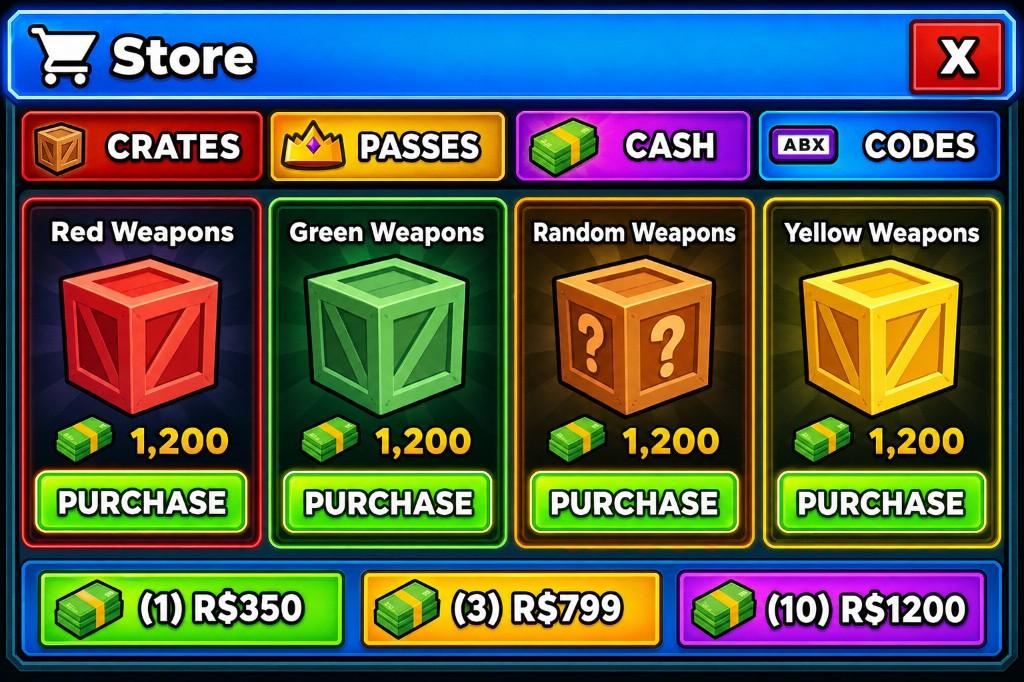
Generated UIA colorful in-game store with crate tabs, cash packs, and purchase buttons for weapon crates.
GenGUI turns a prompt and optional visual reference into an interface concept you can reconstruct, edit, and export as a GuiObject hierarchy for Roblox Studio.
A colorful in-game store with crate tabs, cash packs, and purchase buttons for weapon crates.
Generated with GenGUI
One tool can support very different games because the visual direction comes from your prompt and references—not a fixed template.
A colorful in-game store with crate tabs, cash packs, and purchase buttons for weapon crates.
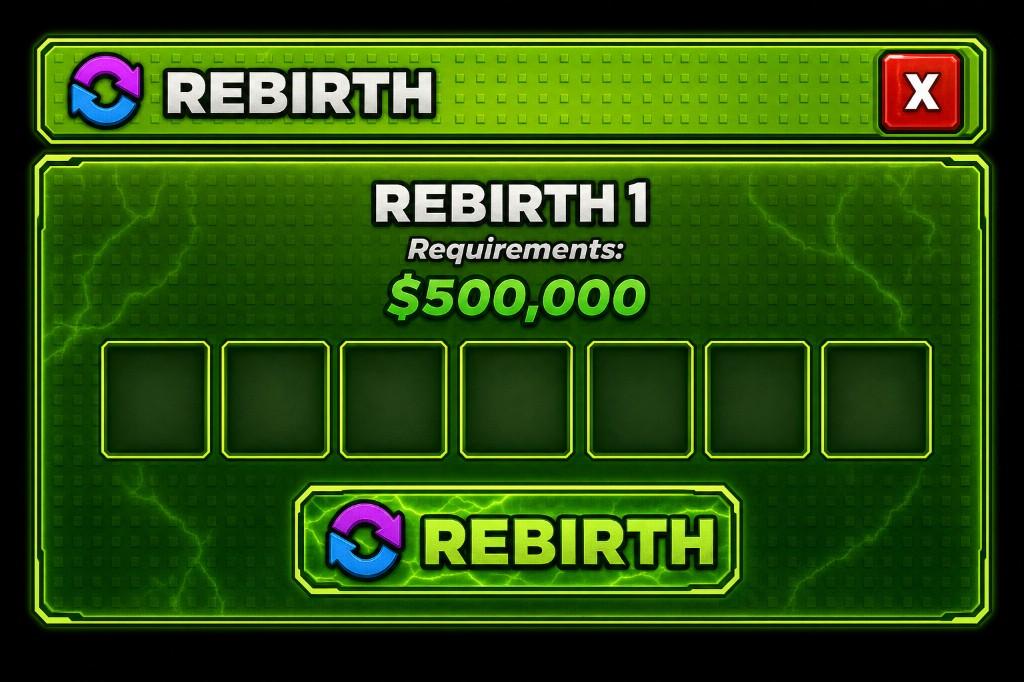
A neon green rebirth menu with a cash requirement, item slots, and a large confirm button.
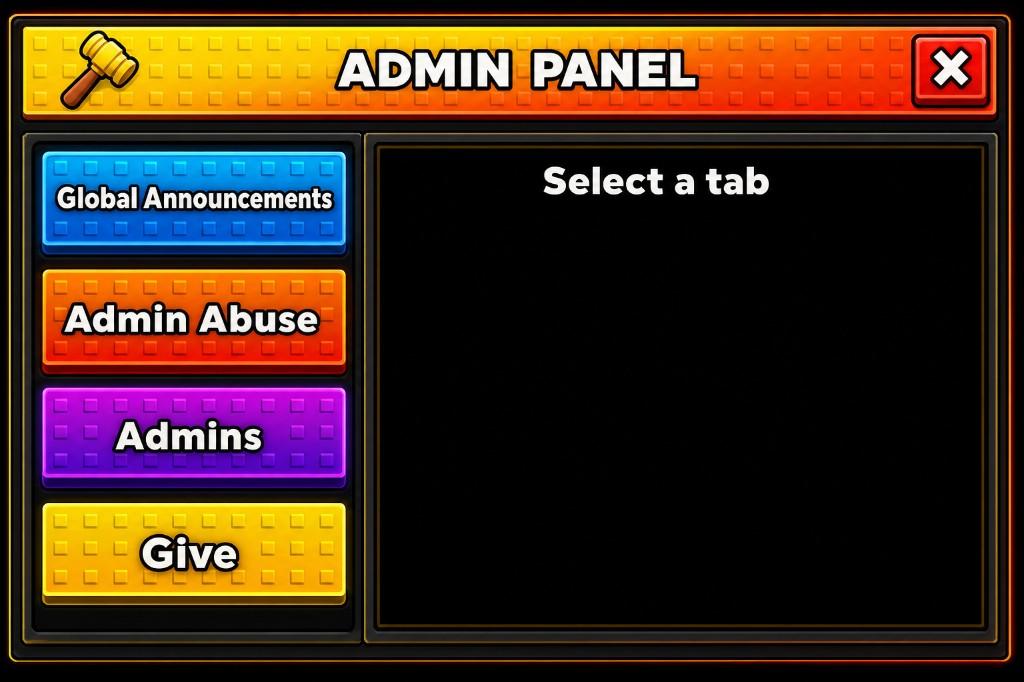
A Roblox-style admin panel with a studded header, colored sidebar tabs, and a content pane.
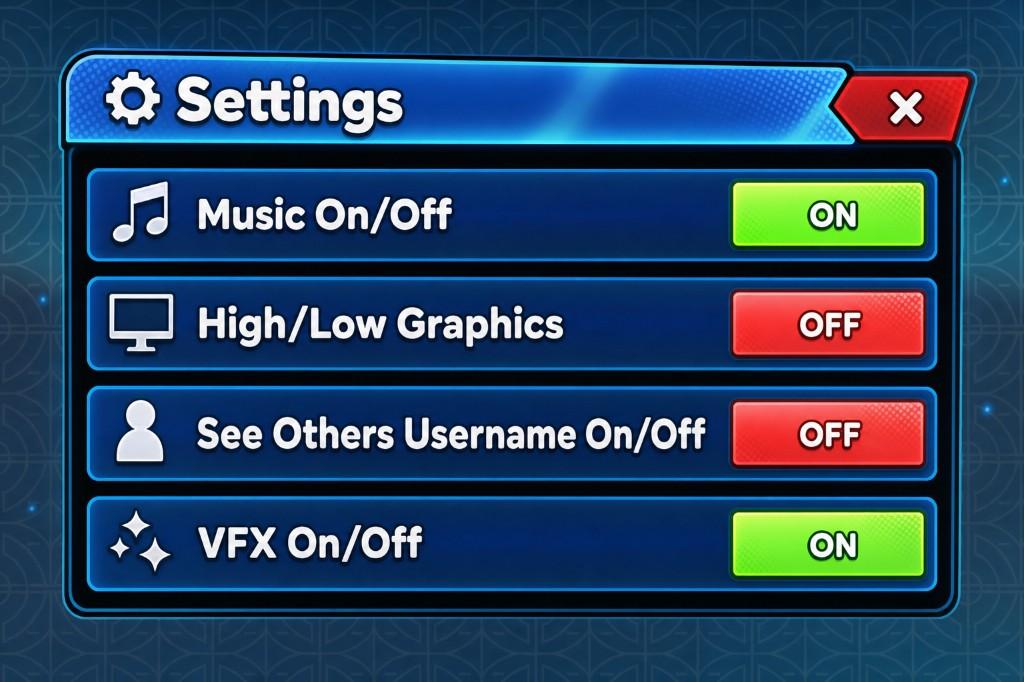
A glossy settings window with icon rows and green ON / red OFF toggles for music, graphics, and VFX.
The workflow
GenGUI carries one interface from prompt through reconstruction and export, so you spend time on the game instead of rebuilding a mockup by hand.
Write a prompt, choose the style and canvas, then add a reference when the UI needs to fit an established art direction.
A colorful in-game store with crate tabs, cash packs, and purchase buttons for weapon crates.
Workflow
Flow 3
Quality
High
Canvas
Landscape
Add a visual reference when you need GenGUI to follow an existing game's palette and shape language.
Flow 3 reconstructs the generated art into layers you can select, move, resize, rename, and refine.
Layers
MusicRow
Frame
Position
Size
Corner
Opacity
Export a real GuiObject hierarchy as .rbxmx, with the image assets and geometry already connected.
StoreScreen.rbxmx
22 objects · 14 images
⌄ ScreenGui StoreScreen
⌄ Frame Header
TextLabel Title
⌄ Frame CrateGrid
ImageButton CrateCard
ImageLabel CrateArt
TextButton Purchase
Roblox Studio
GenGUI exports frames, labels, buttons, anchors, and image assets as a Studio-ready hierarchy—not a flattened screenshot.
Built around the artifact
Carry an existing game's palette and shape language into a new screen.
Generate an interface, reconstruct its components, then refine it in the editor.
Adjust the hierarchy, geometry, text, and image components on a purpose-built canvas.
Download locally or use Open Cloud to upload and wire image assets into the hierarchy.
Pricing
Flow 3 generation currently uses 50 credits. Its stages are included. Editing and export stay free.
$9/mo
60 credits each month
60 credits per month
60 monthly credits with rollover up to 120.
Choose Starter$19/mo
150 credits each month
150 credits per month
The plan most builders should start on.
Start with Creator$39/mo
350 credits each month
350 credits per month
For studios shipping several screens a month.
Choose Pro$79/mo
750 credits each month
750 credits per month
Highest monthly allocation and the cheapest credits.
Choose StudioFree accounts get 15 one-time credits. Purchased packs never expire and are spent after subscription credits.
Worse value than a subscription, on purpose. Credits never expire.
$5
30 credits
30 credits, without a subscription.
$10
65 credits
65 credits, without a subscription.
$20
140 credits
Almost a Creator month, without a subscription.
$40
300 credits
300 credits, without a subscription.
$75
600 credits
Purchased credits never expire.
FAQ
Need something else? Reach the team through the contact page or Discord.
A .rbxmx file containing a real GuiObject hierarchy—frames, ImageLabels, ImageButtons, and TextButtons with their positions and sizes intact. Import it into StarterGui and connect your game logic.
Yes. GenGUI starts with a cohesive generated concept, then reconstructs it as individual, editable components. The result is usable Studio UI rather than one flat picture.
Yes. Attach a reference image when you generate and GenGUI will follow its palette and shape language while creating a new interface.
New interfaces use Flow 3. Generation and its stages are currently included, with no credit charge. Editing and exporting do not spend credits.
Projects autosave to your account. Recent generations remain available so you can continue slicing and editing without generating the same layout again.