
adminGenerated with GenGUI
Admin Panel UI
Sidebar navigation with a structured content region
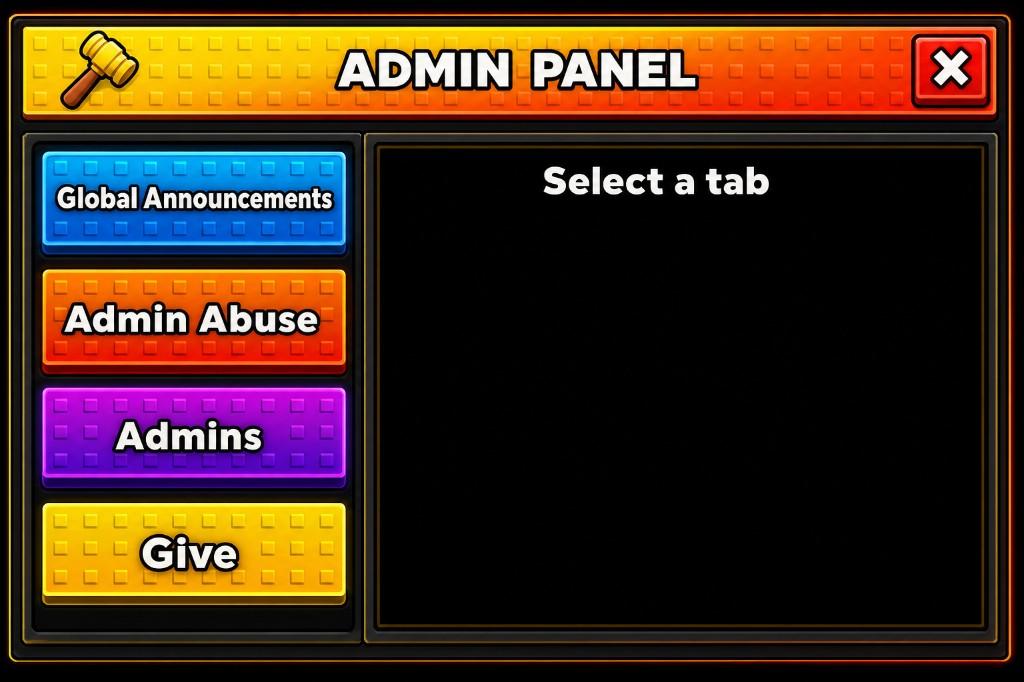
A Roblox-style admin panel concept with a studded header, color-coded sidebar tabs, and a large content pane. The navigation separates categories from the currently selected tool so the central area can change without replacing the whole shell.
Generation prompt
A Roblox-style admin panel with a studded header, colored sidebar tabs, and a content pane.
Visible interface elements
The concept visibly includes these parts; final object structure depends on reconstruction and review.
- Header and close control
- Vertical category navigation
- Selected-tab treatment
- Primary content pane
- Space for tool-specific controls and results
Game context and implementation notes
- Suitable context
- This layout can support private moderation or game-management tools when access is enforced by authoritative server permissions.
- Workflow note
- GenGUI generated the visual concept shown here. An admin interface must never rely on hidden buttons or client checks for authorization; every privileged action needs server-side permission validation.
Learn how reconstruction and export work in the AI generation guide and Studio export guide.