
shopGenerated with GenGUI
Game Store UI
Colorful crate shop with tabs and purchase controls
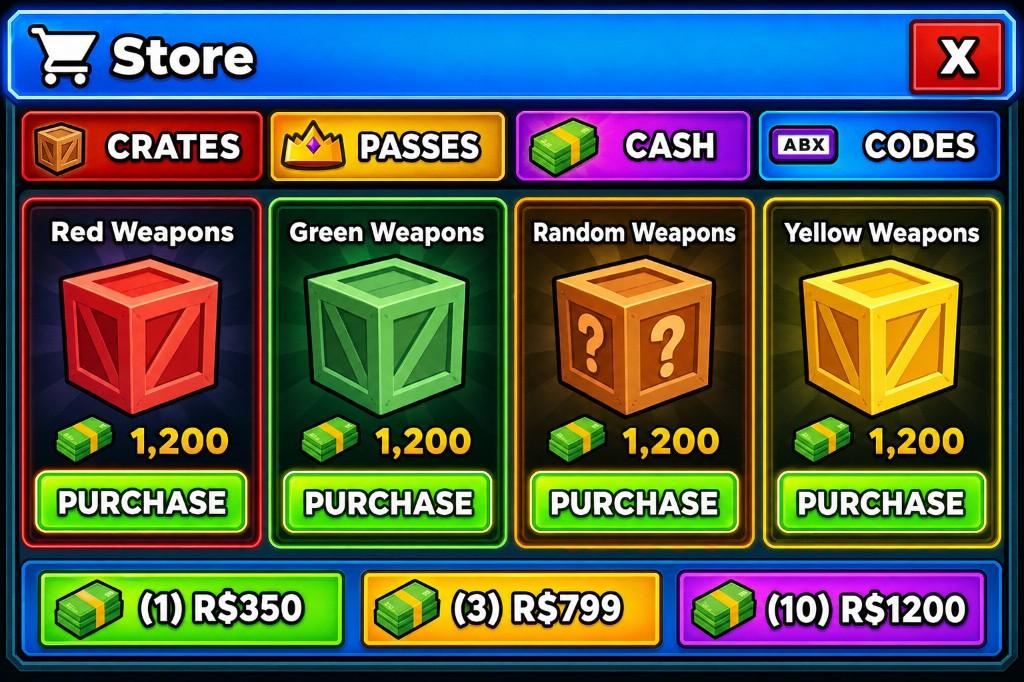
A colorful Roblox shop concept organized around category tabs, product cards, currency packs, and prominent purchase actions. The composition keeps browsing controls near the top and uses repeated cards to make products easy to compare.
Generation prompt
A colorful in-game store with crate tabs, cash packs, and purchase buttons for weapon crates.
Visible interface elements
The concept visibly includes these parts; final object structure depends on reconstruction and review.
- Category tabs for switching between product groups
- Repeated crate or product cards
- Price and purchase controls
- A separate cash-pack area
- A close control and strong shop title
Game context and implementation notes
- Suitable context
- This pattern fits games that sell or unlock crates, items, or currency packs from a dedicated shop screen.
- Workflow note
- GenGUI generated the visual concept shown here. A production version should reconstruct dynamic labels and controls as separate objects, then connect purchases to server-validated game logic.
Learn how reconstruction and export work in the AI generation guide and Studio export guide.