
settingsGenerated with GenGUI
Settings UI
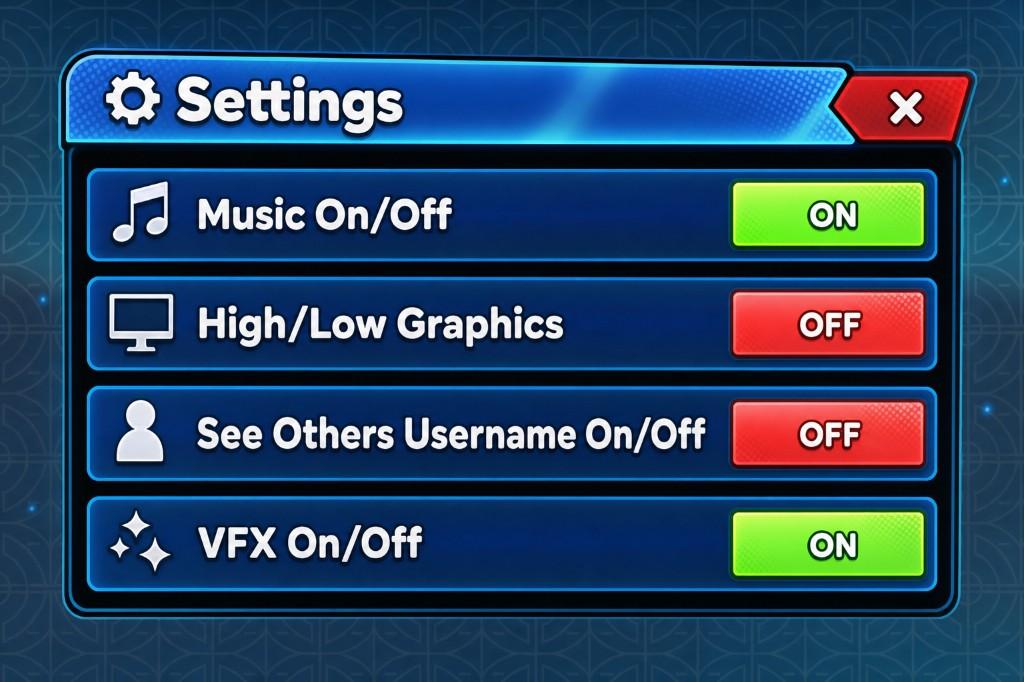
Glossy option rows with visible toggle states
A settings-screen concept with icon-labeled rows and clear on/off controls for music, graphics, and visual effects. Repeated rows make the panel easy to scan, while contrasting toggle states communicate each current value.
Generation prompt
A glossy settings window with icon rows and green ON / red OFF toggles for music, graphics, and VFX.
Visible interface elements
The concept visibly includes these parts; final object structure depends on reconstruction and review.
- Settings title and close control
- Repeated option rows
- Icons and text labels
- Distinct on and off states
- Consistent row spacing and alignment
Game context and implementation notes
- Suitable context
- This pattern fits a general game settings menu where players can review and change client-facing preferences.
- Workflow note
- GenGUI generated the visual concept shown here. A production implementation should use real button or toggle objects, persist supported preferences, and avoid relying on color alone to communicate state.
Learn how reconstruction and export work in the AI generation guide and Studio export guide.